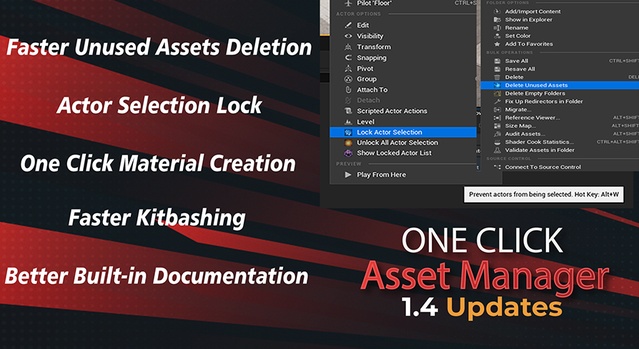
One Click Asset Manager is an editor plugin for Unreal Engine that adds batch tools for actors, materials, folders and unused assets. It is distributed as a code plugin and supports Unreal Engine 4.27 through 5.7 on Windows.
One Click Asset Manager is an Unreal Engine editor tool for cleaning up and organizing a project. Vince Petrelli's plugin focuses on repetitive production chores: batch selecting, duplicating and renaming actors, organizing the World Outliner, and sorting assets into a tidy folder structure. It also creates materials and material instances in one click and can remove unused assets. It is aimed at level designers, environment artists and technical artists who work in large Unreal projects and want less manual housekeeping.
Specifications
| Seller | Vince Petrelli |
|---|---|
| Type | Plugin |
| Category | Engine Tools |
| Engines | Unreal Engine 4.27–5.7 |
| Distribution | Code plugin |
| Formats | Unreal Engine |
| File types | .uasset |
| Unreal target platforms | Windows |
| Blueprints | 6 |
| C++ classes | 16 |
| Network replicated | (Yes/No) No |
| Licenses | Personal, Professional |
| Published | 2026-02-18 |
Key features
- Batch selection, duplication and renaming of actors
- One-click actor transform variation
- Actor selection lock in the editor
- One-click World Outliner organization
- Automatic folder structure for project assets
- Right-click removal of unused assets
- One-click material and material instance creation
- Customizable spline tool with 6 Blueprints and 16 C++ classes
Features for Batch Actor and Asset Management in Unreal Engine
The plugin covers two areas of editor work. For levels, it offers actor batch selection, batch duplication, batch renaming, one-click actor transform variation, and an actor selection lock. The World Outliner can be organized with a single action.
For the Content Browser, it can search for and delete empty folders and unused assets, search for and move used assets, duplicate assets quickly, and organize assets into an automatic folder structure. A right-click option removes unused assets, and a prefix tool adds naming prefixes in one click.
The package also includes a customizable spline tool and one-click material creation, including building a material from a channel packed texture and creating material instances from a master material.
Technical Specs and Engine Compatibility
One Click Asset Manager is a code plugin with 6 Blueprints and 16 C++ classes. Its code lives in a single editor module, AssetsManager, so it runs only in the editor and is not network replicated.
The plugin supports Unreal Engine 4.27, 5.0, 5.1, 5.2, 5.3, 5.4, 5.5, 5.6 and 5.7. It uses the .uasset file type. The development and build platform is Win64, and the creator includes built-in documentation alongside an overview video for Unreal Engine 5.
Use cases
- Level design cleanup
- Environment art production
- Large project asset organization
- Unused asset auditing
- Material setup for asset libraries
One Click Asset Manager FAQ
Which Unreal Engine versions does One Click Asset Manager support?
The plugin supports Unreal Engine 4.27, 5.0, 5.1, 5.2, 5.3, 5.4, 5.5, 5.6 and 5.7. The supported development and build platform is Win64.
Is One Click Asset Manager a plugin or a standalone asset?
It is distributed as a code plugin for Unreal Engine. Its code is contained in one editor module, AssetsManager, and it is not network replicated.
What is included in One Click Asset Manager?
The plugin contains 6 Blueprints and 16 C++ classes. It includes built-in documentation as well as an overview video for Unreal Engine 5.
Which license options are available for One Click Asset Manager?
Personal and Professional licenses are available for this plugin.