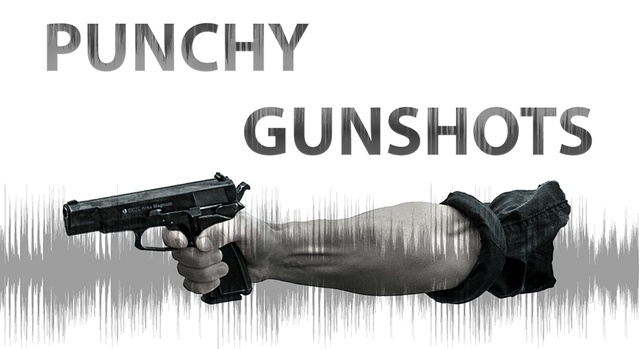
Punchy Gunshots is a sound effects asset pack of realistic gunshot audio for Unreal Engine 5.0–5.8 and Unity 2022+. It includes 263 audio waves and 52 audio cues sampled at 44.100 Hz, with no looping sounds.
Punchy Gunshots is a Sound Effects pack from creator Mathew81 focused on firearm audio for games and interactive projects. The pack covers handguns, revolvers, shotguns, submachine guns, machine guns and other weapons, with tags pointing to shooter, military, battlefield and cyberpunk settings. Its audio is delivered as a ready-to-use asset pack for Unreal Engine and Unity, so it can be dropped into shooters, combat scenes or postapocalyptic games. The creator notes that the pack contains gunshots only, without reloads or cocking sounds.
Specifications
| Seller | Mathew81 |
|---|---|
| Type | Audio |
| Category | Sound Effects |
| Engines | Unreal Engine 5.0–5.8, Unity 2022+ |
| Distribution | Asset pack |
| Unity version | 2022+ |
| Formats | Unreal Engine, Unity |
| File types | .uasset, .unitypackage |
| Unreal target platforms | Android, HoloLens 2, Linux, Mac, Nintendo Switch, Oculus, PS4, SteamVR / HTC Vive, Windows, Xbox One |
| Audio format | – 44.100 Hz |
| Download size | 72 MB |
| Licenses | Personal, Professional |
| Published | 2026-07-03 |
Key features
- 263 audio waves and 52 audio cues
- Realistic gunshot audio, professionally mixed and mastered
- Automatic fire without audio loops
- Uncompressed 16-bit WAV files at 44.100 Hz
- Demo level with keyboard-controlled weapon switching
- Adjustable fire rate via Firerate blueprint variable
- Works with Unreal Engine 5.0–5.8 and Unity 2022+
- About 72 MB download
What Is Included in the Gunshot Sound Pack
The pack contains 263 audio waves organized into 52 audio cues. Each cue is set up for playback in a game, and the included demo level lets you test the sounds directly. In the demo, the left mouse button fires the current gunshot, keys 1 and 2 switch between weapons, and holding the button triggers automatic fire.
Automatic fire is handled by a sound concurrency setup combined with random single shots, so automatic weapons sound realistic without looping audio. The creator states that all sounds were professionally mixed and mastered. Every audio file is an uncompressed 16-bit WAV.
Technical Specifications and Engine Compatibility
Punchy Gunshots samples at 44.100 Hz and does not loop. It is distributed as an asset pack in .uasset format for Unreal Engine 5.0 through 5.8 and as .unitypackage for Unity 2022 and later. The Unreal target platforms listed are Android, HoloLens 2, Linux, Mac, Nintendo Switch, Oculus, PS4, SteamVR / HTC Vive, Windows and Xbox One.
To change the fire rate, open the First Person Character Blueprint and adjust the Firerate variable, which is set to 0.08 by default. Lower values fire faster and higher values fire slower. The download is about 72 MB.
Use cases
- Shooter game weapon audio
- Military and battlefield scenes
- Postapocalyptic combat
- Cyberpunk firefights
- Turret and tank sound effects
Punchy Gunshots FAQ
Which Unreal Engine versions does Punchy Gunshots support?
Punchy Gunshots supports Unreal Engine 5.0, 5.1, 5.2, 5.3, 5.4, 5.5, 5.6, 5.7 and 5.8. It is distributed as .uasset files.
Does Punchy Gunshots work with Unity?
Yes. The pack is available as a .unitypackage for Unity 2022 and later.
How many sounds are included in Punchy Gunshots?
The pack includes 263 audio waves and 52 audio cues. The creator notes that it contains gunshot sounds only, with no reloading or cocking sounds.
Are the gunshot sounds looping?
No. The creator states the sounds do not loop, and automatic fire is built using concurrency and random single shots instead.
What file format are the sounds in?
All sounds are uncompressed 16-bit WAV files at 44.100 Hz, so they can also be used outside Unreal Engine or Unity.