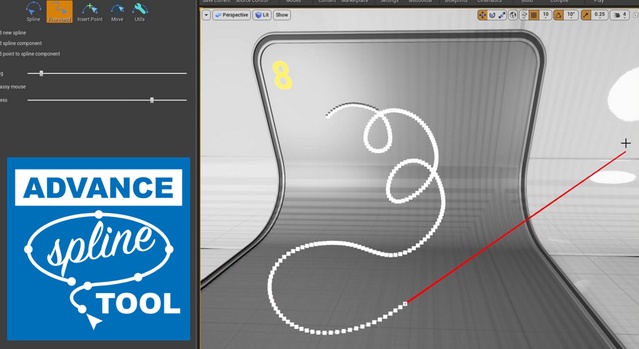
Advance Spline Tool is an editor plugin for Unreal Engine that adds spline creation and editing tools, including freehand splines, point insertion, falloff-based point movement and spline resampling.
Advance Spline Tool is a code plugin that extends the Unreal Engine editor with tools for building and reshaping splines. It is listed under Engine Tools and targets level designers and developers who need to lay out curved paths, roads, rails or routes directly in the editor. The plugin works from Unreal Engine 4.25 through 5.5 and is distributed as a code plugin with .uasset content. Access is through the editor's Modes menu, where the tool appears once the plugin is enabled.
Specifications
| Seller | saeid gholizade |
|---|---|
| Type | Plugin |
| Category | Engine Tools |
| Engines | Unreal Engine 4.25–5.5 |
| Distribution | Code plugin |
| Formats | Unreal Engine |
| File types | .uasset |
| Unreal target platforms | Android, Gear VR, HTML5, HoloLens 2, Linux, Mac, Nintendo Switch, Oculus, PS4, SteamVR / HTC Vive, Windows, Xbox One, iOS |
| C++ classes | 6 |
| Network replicated | Yes |
| Licenses | Personal, Professional |
| Published | 2025-07-30 |
Key features
- Create standard splines in the Unreal editor
- Create freehand splines
- Insert points between existing spline points
- Move points with falloff
- Resample splines
- Built from 6 C++ classes
- Network replicated
- Available for Unreal Engine 4.25 through 5.5
Spline Editing Tools in the Unreal Editor
The plugin provides several ways to create and modify splines. Users can create a standard spline or draw a freehand spline. Points can be inserted between existing ones, and moving a point can apply a falloff so that neighboring points are affected smoothly. A resample function lets you redistribute spline points after editing.
To use the tools, open the editor's Modes menu and select Advance Spline Tool.
Technical Specifications and Engine Compatibility
Advance Spline Tool is built from 6 C++ classes and uses the CoreUObject, Engine, Slate, SlateCore, InputCore, UnrealEd, LevelEditor, PropertyEditor, EditorStyle, Projects and ComponentVisualizers modules. It contains no Blueprints. The plugin is network replicated.
The listed Unreal Engine versions are 4.25, 4.26, 4.27, 5.0, 5.1, 5.2, 5.3, 5.4 and 5.5. The creator lists Win64, Win32, Mac, iOS, Android, PS4, Xbox One and Switch as supported development and target build platforms.
Use cases
- Level design path layout
- Road and rail editing
- Editor tooling for curved routes
- Multiplayer spline systems
Advance Spline Tool FAQ
Which Unreal Engine versions does Advance Spline Tool support?
The plugin lists support for Unreal Engine 4.25, 4.26, 4.27, 5.0, 5.1, 5.2, 5.3, 5.4 and 5.5.
What file types are included with Advance Spline Tool?
The plugin is distributed as a code plugin and includes .uasset files for Unreal Engine.
Does Advance Spline Tool include Blueprints?
No. The plugin contains 0 Blueprints and is built from 6 C++ classes.
Is Advance Spline Tool network replicated?
Yes, the plugin is listed as network replicated.
Which license types are available?
Advance Spline Tool is offered under Personal and Professional licenses.