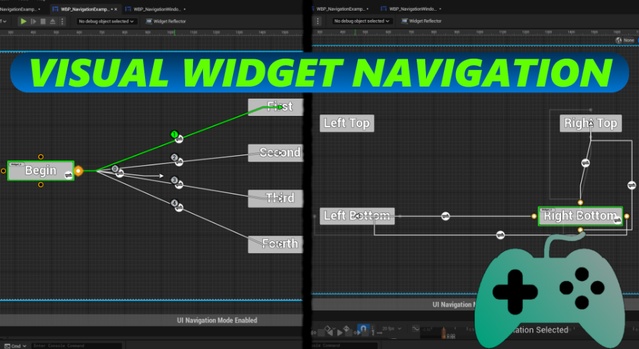
Visual Widget Navigation is a code plugin for Unreal Engine that lets developers build UI navigation visually, with keyboard and gamepad support, using 7 Blueprints and 18 C++ classes.
Visual Widget Navigation is an Unreal Engine plugin for setting up how players move between UI elements. It is aimed at developers building menus and interfaces that must work with a gamepad or keyboard. Navigation is configured visually, with custom conditions, transition rules and an explicit ordering of where focus moves next. The plugin is built to be fully compatible with the engine's own UI navigation system, so it extends the existing workflow rather than replacing it. It is a code plugin distributed for Unreal Engine, offered under Personal and Professional license types.
Specifications
| Seller | Furious Production LTD |
|---|---|
| Type | Plugin |
| Category | Engine Tools |
| Engines | Unreal Engine 4.27–5.8 |
| Distribution | Code plugin |
| Formats | Unreal Engine |
| File types | .uasset |
| Unreal target platforms | Windows |
| Blueprints | 7 |
| C++ classes | 18 |
| Licenses | Personal, Professional |
| Published | 2026-07-06 |
Key features
- Visual building of UI navigation in Unreal Engine
- Custom navigation conditions and transition rules
- Navigation ordering to control focus sequence
- Fully Blueprint-based, no C++ required to use
- Keyboard and gamepad navigation support
- Compatible with the Unreal Engine UI navigation system
- 7 Blueprints and 18 C++ classes included
- Three code modules: editor, uncooked-only and runtime
What Is Included in the Plugin
The plugin ships with 7 Blueprints and 18 C++ classes, split across three code modules: an editor module, an uncooked-only module and a runtime module.
The core workflow is building UI navigation visually. Developers can define complex custom navigation conditions and navigation transition rules, and set the order in which navigation happens.
The system works entirely in Blueprints, so no C++ coding is required to use it, although the C++ classes are part of the package.
Technical Specifications and Engine Compatibility
Visual Widget Navigation supports Unreal Engine versions 4.27, 5.0, 5.1, 5.2, 5.3, 5.4, 5.5, 5.6, 5.7 and 5.8. It is distributed as a code plugin with the .uasset file type.
Development and build support is listed for Win64 only. The plugin is not network replicated.
Keyboard and gamepad navigation are both supported. Documentation is available from the creator, Furious Production LTD.
Use cases
- Gamepad-driven game menus
- Console-style UI navigation
- Custom HUD and inventory screens
- Keyboard and gamepad options menus
- Complex multi-panel interfaces
Visual Widget Navigation FAQ
Which Unreal Engine versions does Visual Widget Navigation support?
The plugin supports Unreal Engine 4.27 and versions 5.0 through 5.8. Compatibility is listed for each of these engine versions.
Do I need to write C++ to use Visual Widget Navigation?
No. The plugin is fully built in Blueprints, so navigation can be set up without C++ coding. It also includes 18 C++ classes as part of the package.
Does Visual Widget Navigation support gamepad and keyboard input?
Yes. The plugin supports both keyboard and gamepad navigation for UI.
Which platforms are supported?
Development and target build support is listed for Win64 only.
Which license types are available?
The plugin is available under Personal and Professional license types.